.png)
Screenshots
App-Details
- Version
- 9.7.4 | 9.7.1 | 8.7.0.27129
- Größe
- 23.39 MB
- Aktualisiert
- July 10, 2023
- Erfordert
- Windows 7
- Sprache
- English | German | Spanish | French | It...
- Lizenz
- Free
- Entwickler
- iSpring Solutions
- Kategorie
- Windows OS
SoftPas auf:
Dieses Produkt ist auch in den folgenden Sprachen verfügbar:
Über iSpring Free Cam
Download iSpring Free Cam – Kostenloser Bildschirmrekorder für Windows & Mac | Sicher, einfach zu bedienen
Suchen Sie ein zuverlässiges und kostenloses Tool zum Aufzeichnen des Bildschirms? iSpring Free Cam ist Ihre Lösung zum Erfassen von hochqualitativen Videos von Ihrem Computerbildschirm. Egal, ob Sie Tutorials erstellen, technische Probleme beheben oder Arbeitsabläufe teilen – diese leichte Software liefert eine reibungslose Leistung und intuitive Steuerung. Mit Unterstützung für Windows und Mac ermöglicht iSpring Free Cam das Aufzeichnen beliebiger Bildschirmbereiche, das Bearbeiten Ihrer Clips und sogar das direkte Hochladen zu YouTube – ohne zusätzliche Werkzeuge. Die App ist sicher, schnell und für Lehrende, Remote‑Arbeiter und Content‑Creator konzipiert. Laden Sie iSpring Free Cam noch heute herunter und beginnen Sie, Ihren Bildschirm mit Vertrauen zu teilen.
Warum iSpring Free Cam unter den kostenlosen Bildschirmrekordern herausragt
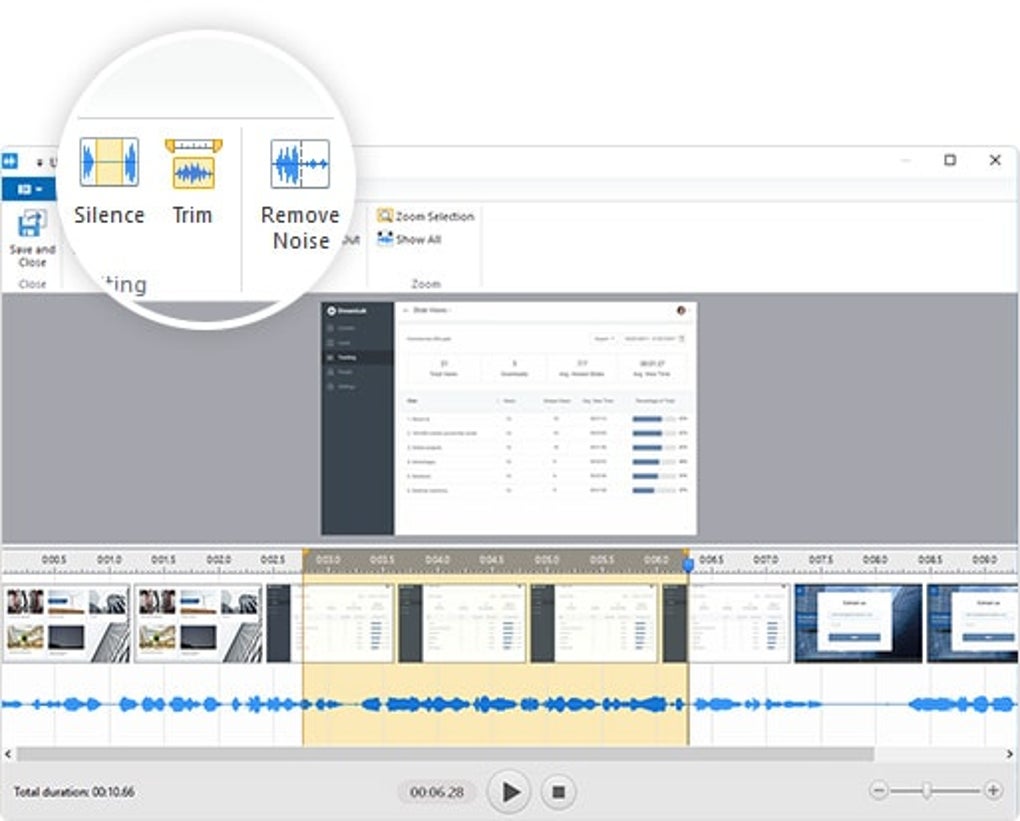
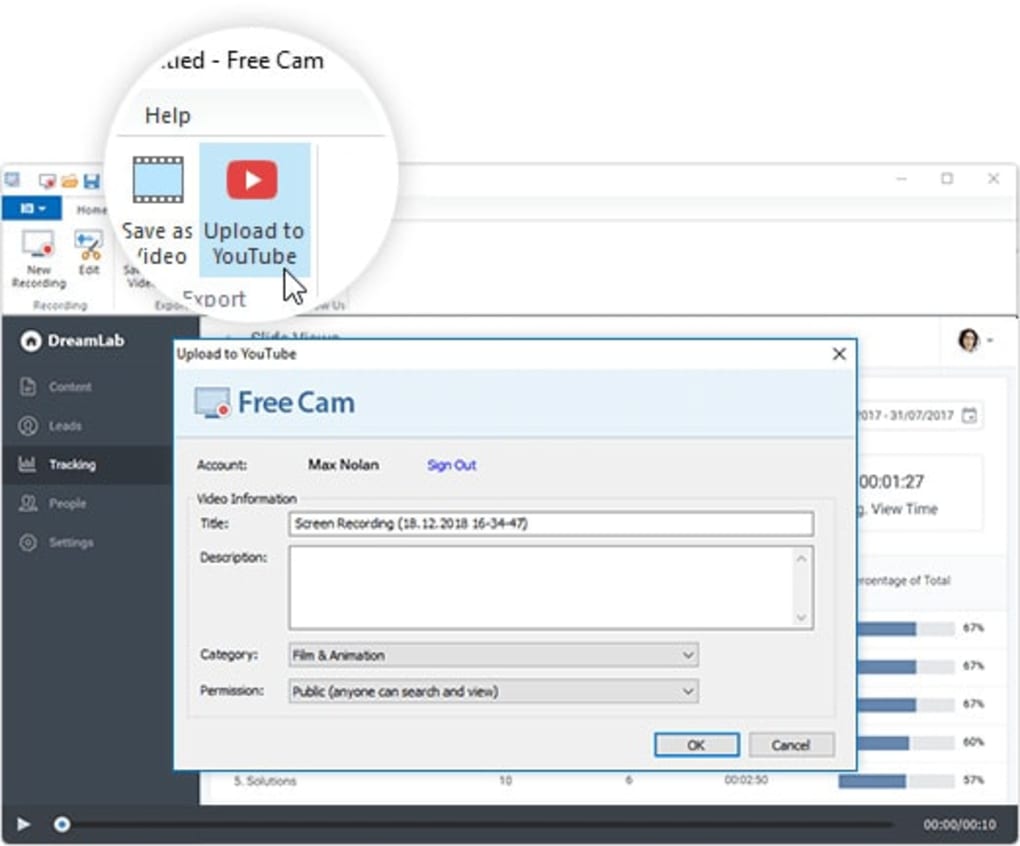
When it comes to free screen recording tools, many options come with limitations—watermarks, short recording times, or poor video quality. iSpring Free Cam breaks the mold by offering a clean, no-frills interface that focuses on core functionality without bloat. Unlike other tools that bombard users with unnecessary features, iSpring Free Cam prioritizes simplicity and performance. You can start recording in seconds, choosing between full-screen capture or selecting a custom region with precision. The software supports high-resolution output, ensuring your videos remain sharp and professional, even when shared on platforms like YouTube or Vimeo. One of the standout features is the built-in video editor, which allows you to trim clips, add captions, and adjust playback speed—all without leaving the app. This eliminates the need for third-party editing software, saving time and streamlining your workflow. The ability to upload directly to YouTube is another major advantage, especially for educators and online instructors who want to publish content quickly. You can select your video, choose a title, description, and privacy settings, and hit upload with just a few clicks. Security is also a top priority. iSpring Free Cam does not collect or share user data, and it runs offline—meaning your recordings stay private. The software is lightweight, consuming minimal system resources, so you won’t experience lag during long sessions. It’s ideal for users with older machines or those working on tight budgets. Whether you're a teacher creating lesson videos, a developer documenting bugs, or a remote worker demonstrating a process, iSpring Free Cam delivers consistent results across different use cases. Its straightforward design makes it accessible to beginners, while its powerful features satisfy more advanced users.Wie man iSpring Free Cam unter Windows und Mac installiert und verwendet
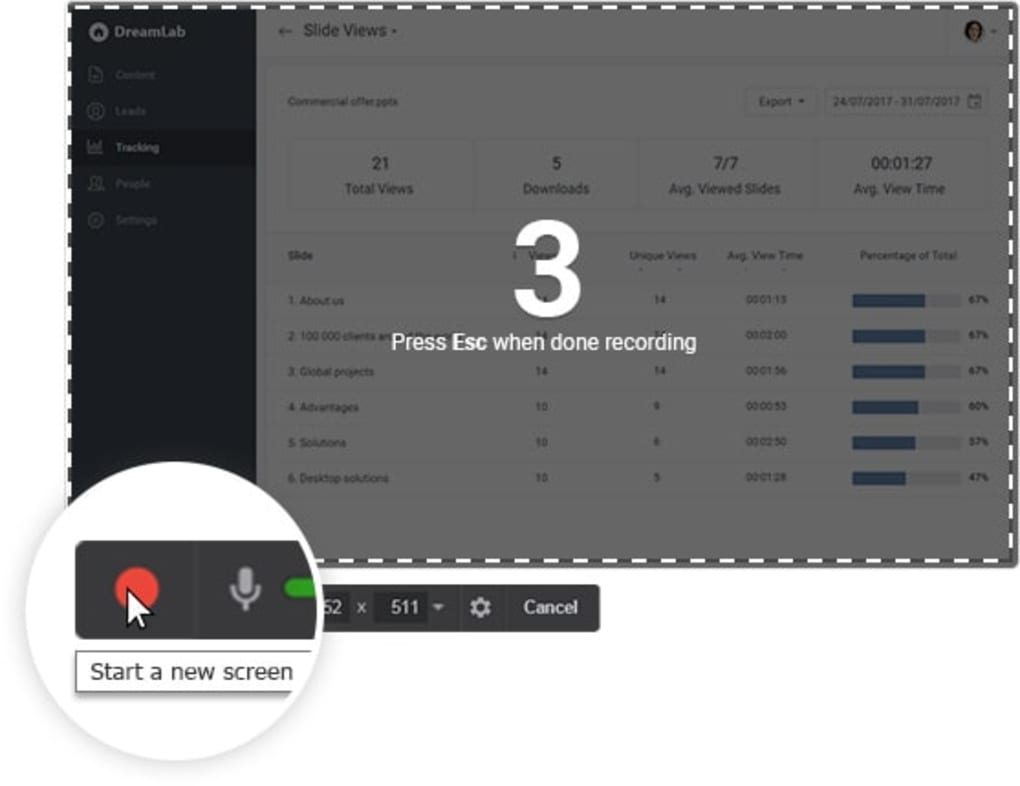
Getting started with iSpring Free Cam is a breeze, whether you're on Windows or Mac. First, visit the official iSpring website and download the installer file. The download is free, secure, and virus-free. Once the file is downloaded, open it and follow the on-screen prompts. The installation process takes less than a minute and doesn’t require admin rights on most systems. After installation, launch the app from your desktop or applications folder. Upon opening, you’ll be greeted with a minimal interface that shows your screen preview. Click the Record button to begin. You can choose to record the entire screen or select a specific window or region using the drag-and-drop tool. A small countdown timer appears before recording starts, giving you time to prepare. During recording, a floating control panel appears, allowing you to pause, stop, or mute your microphone if needed. The app supports audio capture from your system and microphone, so you can narrate your screen actions in real time. Once you stop recording, the video is automatically saved to your chosen folder in WMV format—compatible with most media players and editing tools. If you need to refine your video, click the Edit button to open the built-in editor. Here, you can trim unwanted sections, add text overlays, or adjust the speed. When ready, click Upload to YouTube and sign in to your account. The upload process is fast and stable, even for longer videos. For future use, you can set default preferences like recording area, audio settings, and output location to speed up your workflow. The software also supports keyboard shortcuts, making it even more efficient. For example, Ctrl+Shift+R (Windows) or Cmd+Shift+R (Mac) starts a new recording instantly. These small touches enhance usability and make iSpring Free Cam a favorite among power users. Regular updates are released to fix bugs and improve compatibility, ensuring long-term reliability.Kompatibilität, Funktionen und Leistung über Geräte hinweg
- Full-screen and custom region recording – Capture exactly what you need
- System and microphone audio capture – Narrate your screen with clarity
- WMV output format – Widely supported and easy to share
- Basic video editing tools – Trim, add text, adjust speed
- Direct YouTube upload – Publish content without switching apps
- Lightweight design – Low CPU and RAM usage
- Offline operation – No internet required for recording
Vor- und Nachteile von iSpring Free Cam
- Pros:
- Completely free with no hidden costs or watermarks
- Simple, intuitive interface for quick learning
- High-quality recordings with support for audio narration
- Direct YouTube upload eliminates workflow disruption
- Lightweight and efficient on older systems
- Regular updates and strong developer support
- Cons:
- No MP4 export option (only WMV)
- Limited editing features compared to paid software
- No built-in screen annotation tools (like drawing or highlighting)
- YouTube upload requires an active internet connection
- No mobile version available (only desktop)
Häufig gestellte Fragen (FAQ)
Endgültiges Fazit: Warum Sie iSpring Free Cam noch heute herunterladen sollten
If you're searching for a reliable, free screen recording tool that delivers professional results without the complexity, iSpring Free Cam is an excellent choice. It strikes the perfect balance between simplicity and functionality—ideal for educators, remote workers, IT support teams, and content creators. Its ability to record, edit, and upload directly to YouTube in one app saves valuable time and reduces friction in your content creation process. While it lacks some advanced features like MP4 export or drawing tools, its core strengths—high-quality output, secure operation, and seamless YouTube integration—make up for these minor limitations. The software is lightweight, regularly updated, and trusted by thousands worldwide. For anyone needing a dependable screen recorder that won’t drain your resources or budget, iSpring Free Cam is a must-download. Whether you're teaching online, troubleshooting software, or sharing workflows, this tool empowers you to communicate clearly and effectively. Download iSpring Free Cam now and start creating powerful, professional videos—free, fast, and secure.User Review Summary
Verified User "I've used several free screen recorders, but iSpring Free Cam stands out for its simplicity and reliability. The direct YouTube upload feature is a game-changer for my online courses. No more exporting to another app. The video quality is excellent, and the interface is clean and easy to navigate. Only downside: no MP4 export. Still, it’s one of the best free tools out there."Anleitungen & Tutorials
So installierst du iSpring Free Cam
- Klicke oben auf die Schaltfläche Herunterladen.
- Akzeptiere nach der Weiterleitung die Bedingungen und klicke auf Installieren.
- Warte, bis der Download von iSpring Free Cam auf deinem Gerät abgeschlossen ist.
So verwendest du iSpring Free Cam
Diese Software wird hauptsächlich für die oben beschriebenen Kernfunktionen verwendet. Öffne die App nach der Installation, um ihre Möglichkeiten zu erkunden.
Nutzerbewertungen
Noch keine Bewertungen. Teile als Erste/r deine Erfahrung.
Das könnte dir auch gefallen
mehr
Llama 2
Free-to-use large language model As the new addition to Meta’s arsenal of langua...

NotebookLM
Revolutionizing the note-taking and idea-generation process NotebookLM is an exp...

Github co pilot
AI-inspired software development and coding platform GitHub Copilot is a browser...

Google Gemma
Google’s lightweight AI models Introducing Google Gemma , a family of cutting-ed...

AI Image Enlarger
A free app for Windows, by ai-image-larger. AI Image Enlarger is a free software...

DALL E
AI-driven text-to-image transformation engine DALL·E is a free graphic and desig...